Want to explore what AI can do for your firm?

Start Here
Back to Top

About ChatGPT

ChatGPT Review: Artificial Intelligence for Lawyers

ChatGPT Logo

Lawyerist Rating for ChatGPT

i

Rating Breakdown

Our Rating: 4/5

Our rating is based on our subjective judgment. Use our resources—including our rating and community ratings and reviews—to find the best fit for your firm.

4/5

Product Details

Apps
  • Android
  • iOS
  • iPadOS
  • Web
  • MacOS
  • Windows

Core Features

For Artificial Intelligence, the following are essential features, and you should therefore expect to see a check in every box in this section.

Yes
No

Product Security

Most AI products are built in such a way that they are inherently insecure. If this box is checked, the product or application claims to keep data secure and away from the prying eyes of the public. Although users should not put client information into these platforms, typically sensitive company information is safe.

Client Confidentiality

While some products are secure enough for your own data, others go the extra step of making sure no third party (even themselves) have access to any of the data in your AI product. In these cases, the provider claims that your data is secure enough to maintain your client's Attorney/Client privilege.

Marketing Tasks

Can this product be used for basic marketing tasks like blog creation, social media videos, or website images?

Documentation Assistance

Can this product be used to help document how to do something, whether internal or external facing?

Non-legal Research

Is this product helpful with basic, non-legal research?

Legal Research

Although answers from any large language model tool should be double checked by an appropriate expert, some products claim to be trained on legal specific information. In these cases, it may be reasonable to trust them with legal specific questions or research. Keep in mind, however, that your professional rules likely require you to check their work.

Basic Drafting

Will this product assist in basic drafting of non-legal specific documents (e.g. email, invoices, job descriptions)?

Legal Specific Drafting

Can this product be useful in handling legal specific drafting?

Contract Management

Can this product be used to create and manage contracts?

Frequently Asked Questions

Where can I use ChatGPT?

ChatGPT is web-based and can be used on any internet-connected device. Additionally, it has mobile apps for iOS and Android. It also integrates with other products, including Apple Intelligence.

What is the price of ChatGPT?

ChatGPT Business starts at $20/user/month, billed annually with a 2-user minimum. A free tier is available, and some individual and enterprise options have different pricing.

Does ChatGPT integrate with my Law Practice Management Software?

ChatGPT can integrate with some LPMS software via Zapier.

Where does ChatGPT get its information?

ChatGPT is a general-use AI. It's sources are publicly-available and can even search the internet to help answer your questions. They are not legal-specific.

Does ChatGPT search caselaw?

No, ChatGPT can discuss legal topics, but it is not a legal research database and should not be relied on to search case law. Attorneys should use authoritative legal research tools and verify any legal citations or legal conclusions.

What secondary sources does ChatGPT have?

No, ChatGPT does not provide a verified library of legal secondary sources like a dedicated legal research platform. It may summarize or discuss publicly available legal concepts, but source coverage and accuracy should be independently checked. It is not a replacement for a legal research subscription.

Is ChatGPT reliable?

Yes, it works reliably and well, as far as availability and functionality. ChatGPT can be useful for drafting, summarizing, and brainstorming, but it can make mistakes or produce unsupported statements. Attorneys should review all output carefully, especially before using it in client advice, filings, contracts, or legal analysis.

Is ChatGPT difficult to use?

No. ChatGPT works like a text prompt where you ask questions and, if desired, upload documents as part of your question and "conversation."

What type of practice uses ChatGPT?

ChatGPT is a great choice to help with non-caselaw questions that are not client confidential or privileged. Think of things like marketing, general business or office processes, and similar time-saving items.

Does ChatGPT have reminders and alerts?

Not natively. There may be something you could construct via Zapier or API-based connectivity. Firms should continue using dedicated practice management, calendaring, or docketing tools for reminders and alerts.

Additional Details about ChatGPT

ChatGPT Business workspace

ChatGPT Business gives small firms a dedicated workspace with administrative controls, user management, and business data protections. OpenAI states that it does not train its models on ChatGPT Business data by default. This can make ChatGPT Business more appropriate for firm use than a personal consumer account, although firms still need their own confidentiality policies and review procedures. For law firms, the workspace structure is useful because owners or administrators can manage access more consistently than with scattered individual accounts.

Drafting and rewriting support

ChatGPT is useful for first drafts, rewrites, summaries, outlines, checklists, and plain-English explanations. Small-firm attorneys can use it to turn notes into client emails, convert dense language into a simpler explanation, brainstorm blog topics, or prepare internal templates. It can also help staff document recurring processes, such as intake steps or billing workflows. Attorneys should treat the output as a draft, not a finished legal conclusion.

File, data, and document analysis

ChatGPT can analyze uploaded files, summarize long documents, extract action items, compare text, and help organize information. This can be helpful for reviewing correspondence, preparing meeting summaries, or turning rough material into structured notes. For confidential or privileged material, firms should confirm that their plan, workspace settings, and internal policies permit the intended use. Sensitive client information should not be uploaded without a clear firm-approved process.

Apps and business tool connections

ChatGPT Business includes access to apps and connectors that can bring information from workplace tools into ChatGPT. This may help firms work with materials stored in systems such as document repositories or collaboration tools. These connections should be reviewed carefully because they may involve third-party systems, permissions, and workspace-level controls. For small firms, the practical value depends on whether the connected tools are already part of the firm’s workflow.

Who ChatGPT is for

For general use, people seeking a quick answer on a non-critical question or who’d like to get basic background information on a topic should consider ChatGPT. This tool can also help with creating draft language for websites, blog posts, letters, and marketing materials.

Best fit

  • Small firms that want a flexible AI assistant for drafting, summarizing, marketing, and internal workflow support.
  • Attorneys and staff who need a general-purpose productivity tool rather than a dedicated legal research platform.
  • Firms willing to create review, confidentiality, and acceptable-use policies before using AI with client-related material.

Not ideal for

  • Firms looking for a dedicated case law research tool with verified citations and legal databases.
  • Attorneys who want AI output that can be used without careful review.
  • Firms that need built-in matter management, docketing, or contract lifecycle management.

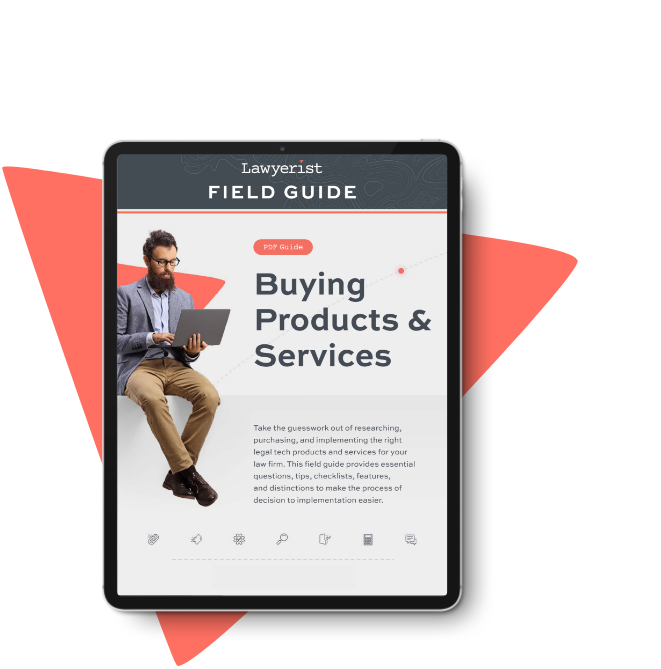
Not sure where to begin? Download our Field Guide

Take the guesswork out of researching, purchasing, and implementing the right legal tech products and services for your law firm. Our Field Guide answers your essential questions and breaks down the features most important to your business, so you can buy with confidence.

Ipad featuring field guide pdf

ChatGPT Community Reviews

4

Based on 0 Ratings

0
0
0
0
0
Write a Review

Leave a Review

Learn the Latest from Our Partners and Community